Free Android app for making printable zines
Make a littlezine.
Zinely is an Android app for making an eight-page zine. Add photos, words and Art. Then print one sheet, cut it once, and fold it into a booklet.
Make the pages on your phone. Read the zine there, or save it as a PDF to share.
We made an app to get you off your phone: you print your zine and fold it on paper.
Zinely at a glance
- Free
- Works offline
- No account
- No analytics
- Android 7.0+
Public beta: you install it from GitHub, not Google Play. Make a backup in Zinely before you update, uninstall or change phones. How to install.
About this sheet
I used to be a PDF. Then someone printed me and folded me into a book.
Why bother with paper
Some things are better held than scrolled.
-
It ends.
A zine has eight pages. When they are done, you are done. There is no feed to keep up with.
-
It stays yours.
There is no account and no upload. Your pages stay on your phone until you share them.
-
It travels.
Give it to a friend, post it, or leave it in a café. Or keep the PDF and read it on your phone.
What people make with eight pages
Enough room for almost anything small.
Photos, a few words, and a piece or two of Art. Some ideas to start from:
- A trip in eight photos
- A recipe from someone you miss
- A birthday booklet with the inside jokes left in
- A field guide to one very specific street
- A flyer that folds into a tiny book
- A letter too long for a card
Need an idea?
A tiny field guide to the cats on your street.
My Shelf → Bench → Proof
Three places: My Shelf, Bench and Proof.
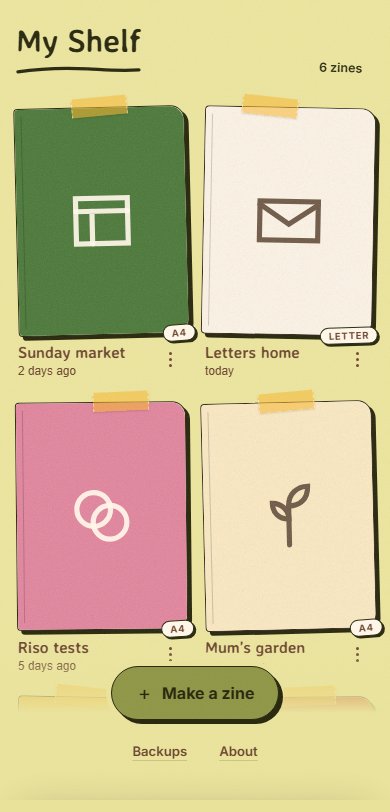
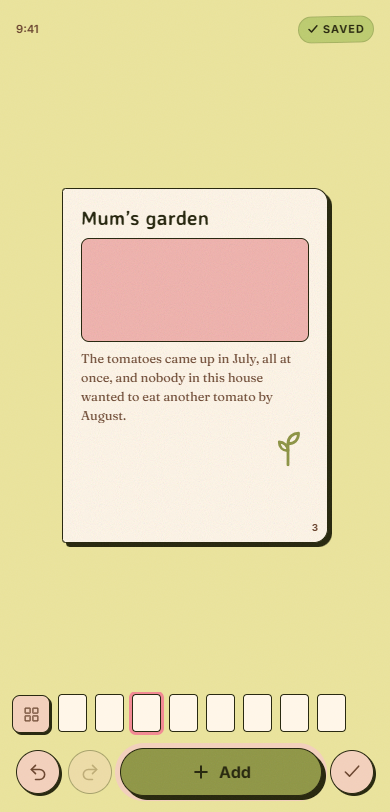
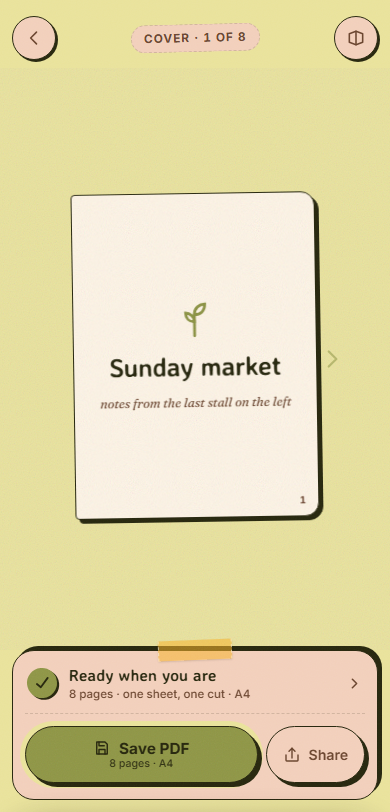
You use them in this order. My Shelf keeps your zines. The Bench is where you make the pages. The Proof shows the finished zine before you share or print it. Try the demo.
A tiny browser demo. It does not save or export anything.
My Shelf
Mum’s garden
9:41 SavedPage 1 of 8
What each stage does now, and what may come
| Stage | In the beta now | Direction (not a promise) |
|---|---|---|
| My Shelf | Start, rename, copy and delete zines. Put zines in folders. Select several zines to move or delete them with one Undo. Back up your whole shelf to a file and restore it. | Planned Zinely on Google Play. |
| Bench | Photos from your gallery or another app’s Share button, words and Art. Reframe, flip, copy and the photocopier look. Two fonts: Book and Plain. Mix your own inks. 124 pieces of Art, including two new frames. Undo and redo name the change. Tap through a frame to what is under it. | In development a third font called Hand, and a few words to describe a photo for a screen reader. Nothing to try yet.Planned your paper’s colour shown on screen, and your own drawings.Exploring new ways to crop photos. |
| Proof | Read the finished zine page by page. Share a print-ready PDF, or save it to Downloads (on Android 7 to 9, Zinely asks for storage access first). A step-by-step fold guide. | Planned help at the printer and more paper sizes.Exploring easier folding, after we watch people fold real paper. |
What’s next has the full list and what each label means.
From phone to paper
Eight pages. One sheet. Yours.
-
Add your photos and words
Add a poem, photos from a walk, or pictures of your cat.
-
Move things around
Resize, reframe, arrange and undo. You can change your mind at any time.
-
Zinely arranges the pages
Zinely puts all eight pages on one sheet, ready to print at home. Some pages look upside down on the sheet. That is correct. They turn the right way when you fold.
Page order
Why the pages look out of order on the sheet
You make pages 1 to 8. Zinely works out where they go on the sheet so they read in order after folding.
Reading order: 1 to 8, front cover to back cover. A layout comparison, not a folding simulation.
Reading order
A layout comparison. For the actual folds, the guide is next.
What you need
How to fold a mini zine.
You need one printed sheet and a pair of scissors. You make a few creases and one cut.
Start with: your Zinely PDF printed on one side of A4 or US Letter paper. A blank sheet works for practice, too.
Dashed line = creaseThick edge = folded edgeRed line + stop dot = cutArrow = movement
Take your time. The paper has nowhere to be.
1 / 10
Fold lengthways
Motion starts only when you ask. Pause at any point.
Made by you. Ready to pass on.
-
Fold lengthways
Lay the sheet landscape, printed side down.Bring the bottom long edge up to the top edge.Crease firmly and keep it folded.
-
Fold in half again
Keep the long strip lying across your desk.Bring its right short edge over to the left.Press the new fold flat.
-
One more fold
Fold the small rectangle in half once more.Bring the right edge over to the left.Press all the creases firmly.
-
Open it all out
Unfold the sheet completely.Lay it landscape again.Check for eight panels: four across, two down.
-
Fold across the middle
Bring the full sheet’s right short edge over to the left.This fold goes the other way from your first fold.Keep the folded edge on your right.
-
Make one small cut
Start at the folded right edge; cut left along the middle crease.Cut through both layers, stopping halfway across.Stop at the dot. Do not cut all the way through.
-
Open up again
Unfold the sheet and lay it flat.The slit crosses only the two middle panels.Both outer panels must stay joined.
-
Return to the long fold
Fold lengthways again along the first crease.Keep the printed pages on the outside.Hold the strip with the slit along its folded top edge.
-
Push the ends together
Hold the short ends and gently push them inward.Let the slit open into a diamond.Keep pushing until four panels meet in a cross.
-
Fold into a little book
Wrap the panels around each other, front cover on top.Flatten the spine with your fingers.Your eight-page zine is ready to share.
What makes it different
You choose the look. Zinely handles the layout.
Your pages can look as rough and handmade as you like. Zinely sets the page order so the zine folds correctly.
Loose where you want it
- Resize a photo, crop it close, or flip it.
- Give it the photocopier look: dots and high contrast.
- Add Art and a few words, then move everything again later.
Exact where it matters
- All eight pages land in the right place, the right way up, once folded.
- The PDF is made at A4 or US Letter size, ready to print at 100%.
- One sheet, one cut. The fold guide shows every step.
Private
- Works offline. The app does not ask for internet access.
- No account, no ads, no analytics.
- Your photos are copied into the app’s private storage and never uploaded.
Ready when you are
Try Zinely on your Android phone.
Zinely is a free public beta for Android 7.0 or newer. You install it from GitHub. It is not on Google Play yet.
New in 0.9.0-beta.9
- Turn a piece by dragging a knob. Two fingers anywhere on the page turn it too.
- Small pieces are easier to move and to pick.
- A saved PDF is named after your zine. New zines are numbered.
- Art keeps your recent and favourite pieces after you close Zinely.
We have not tested the new features with a screen reader. See-through pictures still come in on white. Everything that changed.
Have you installed an APK before? Download Zinely 0.9.0-beta.9 directly (about 15.8 MB).
Where it’s going
What is new, and what is next.
About Zinely
Who makes Zinely
Sometimes you want to make a small booklet from a few photos, a short story, or a hobby you love.
We’re Aastra, a two-person team. We wanted that too. We looked for an app that makes little paper zines without making page order your problem. We did not find one, so we started building Zinely.
A zine starts on a screen and ends in someone’s hands. That is the part we like.
We handle the page order. You decide what deserves eight pages.
Try it. Tell us what works, what gets in your way, and what you would change.
The form only requires a message. A reply email is optional. If you include a screenshot, please hide personal information first. Identifiable feedback is deleted within 90 days; read how feedback is handled.
Accessibility
Browse with a keyboard, zoom in on the words, or take the folding guide one step at a time. Prefer less movement? The site follows your device’s reduced-motion setting. You can read every folding step without playing an animation.
If this website is hard to use, tell us with the feedback link above.